Workflows
Investigate an event using evidence and history
Open a Witness event, compare firsthand evidence with surrounding context, and see how the record changed over time.
On this page
Find the event you want to understand
Start with a place and a time window. Open a record in Events or select it on the map. If you are looking at a situation, choose the event that answers your question first.
Compare Evidence and History
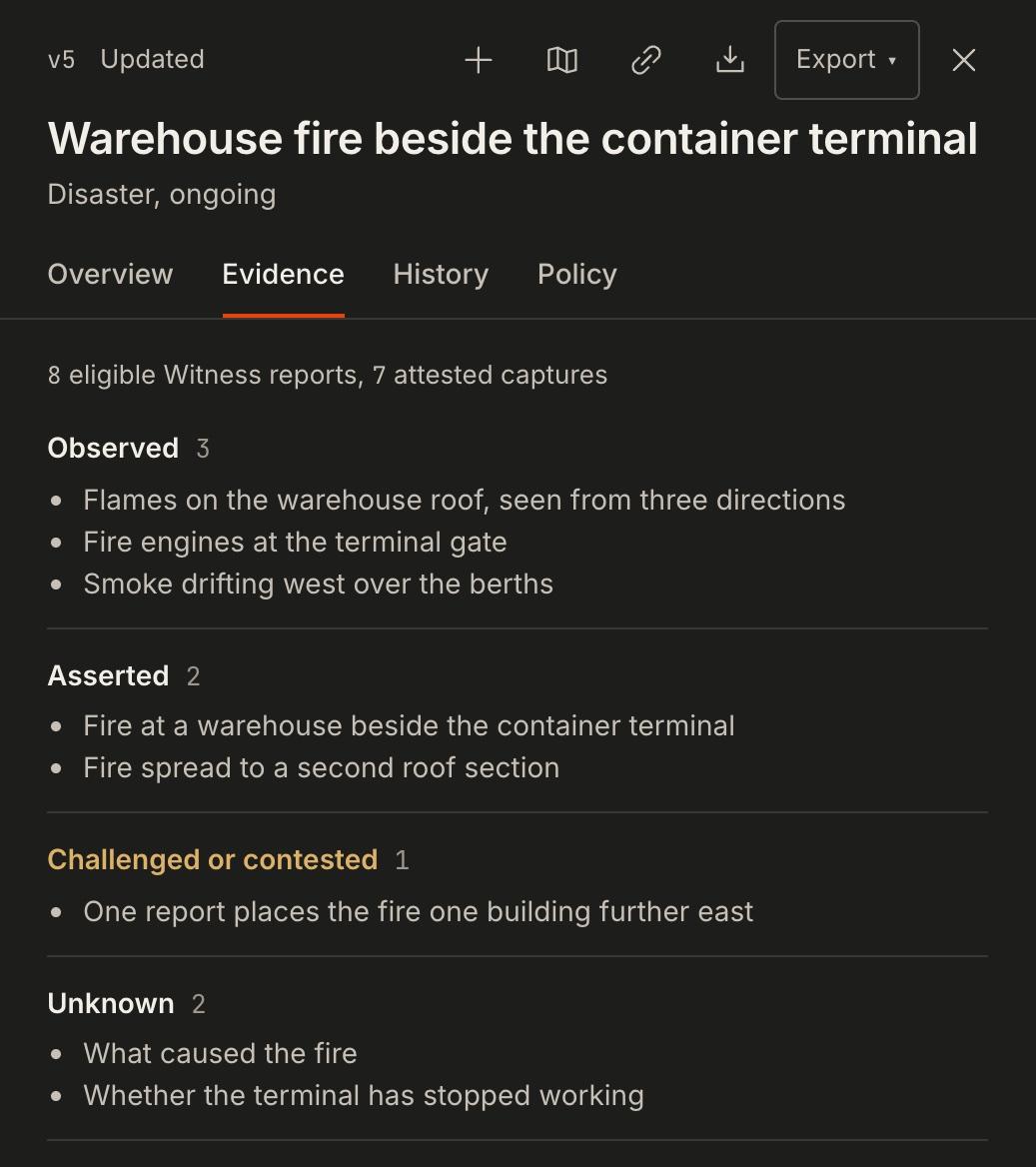
- Read Evidence.
Identify what the records directly show, what someone asserted, what is contested and what remains unknown. Note any limits on how precisely the record can be placed.
- Read History.
Check which version you are looking at and when it became available. Review what changed before using a later detail to explain an earlier decision.
- Look around the event.
Use Look around to review nearby reports and labelled outside context. Compare time, distance and source before treating two items as related.
Move between an earlier period and the current view
Use the time slider to examine an earlier period of the recorded event history. Select Back to live for current layers. Check the timestamp of each item before using it to describe conditions at a specific time.
Prepare a finding for a teammate
State what the evidence supports, the time it describes, and the part that remains unresolved. Attach the permitted event record or brief so someone else can review the same material.