Firsthand reports, and everything around them.
Witness Terminal is a live event monitoring workspace for teams. It brings firsthand reports together with ships, flights, cameras, outages, news and prices at the same place and time, so your team can investigate what happened and decide what to do.
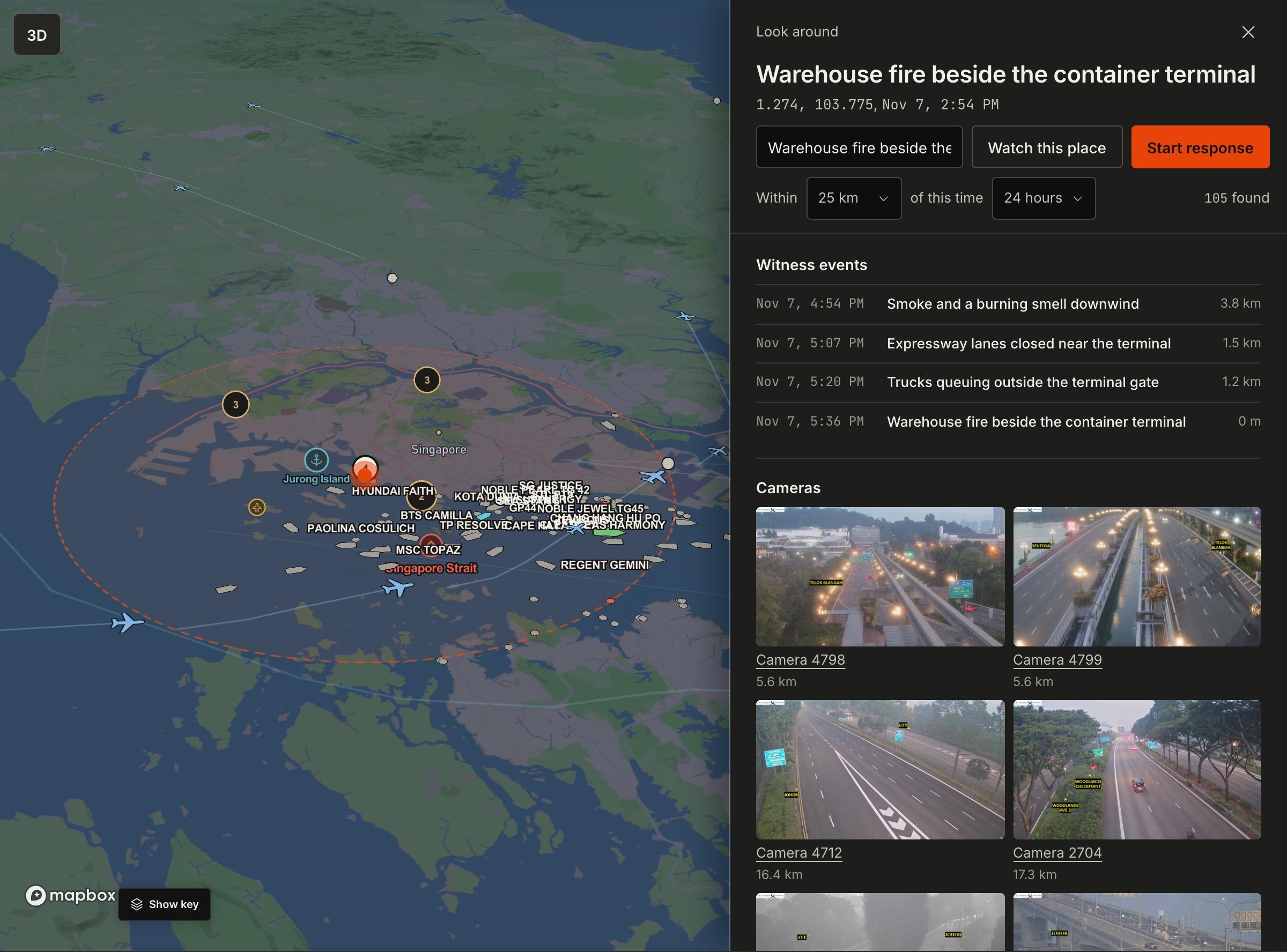 Witness event8 reports from 6 peopleShips in the strait, liveFlights overheadTraffic cameras 5.6 km away
It starts with one person who is there.
A report is more than a picture. It arrives with where and when it was captured, recorded at the moment of capture, and it keeps a confidence that moves as other people and other evidence come in.
Many reports become one event.
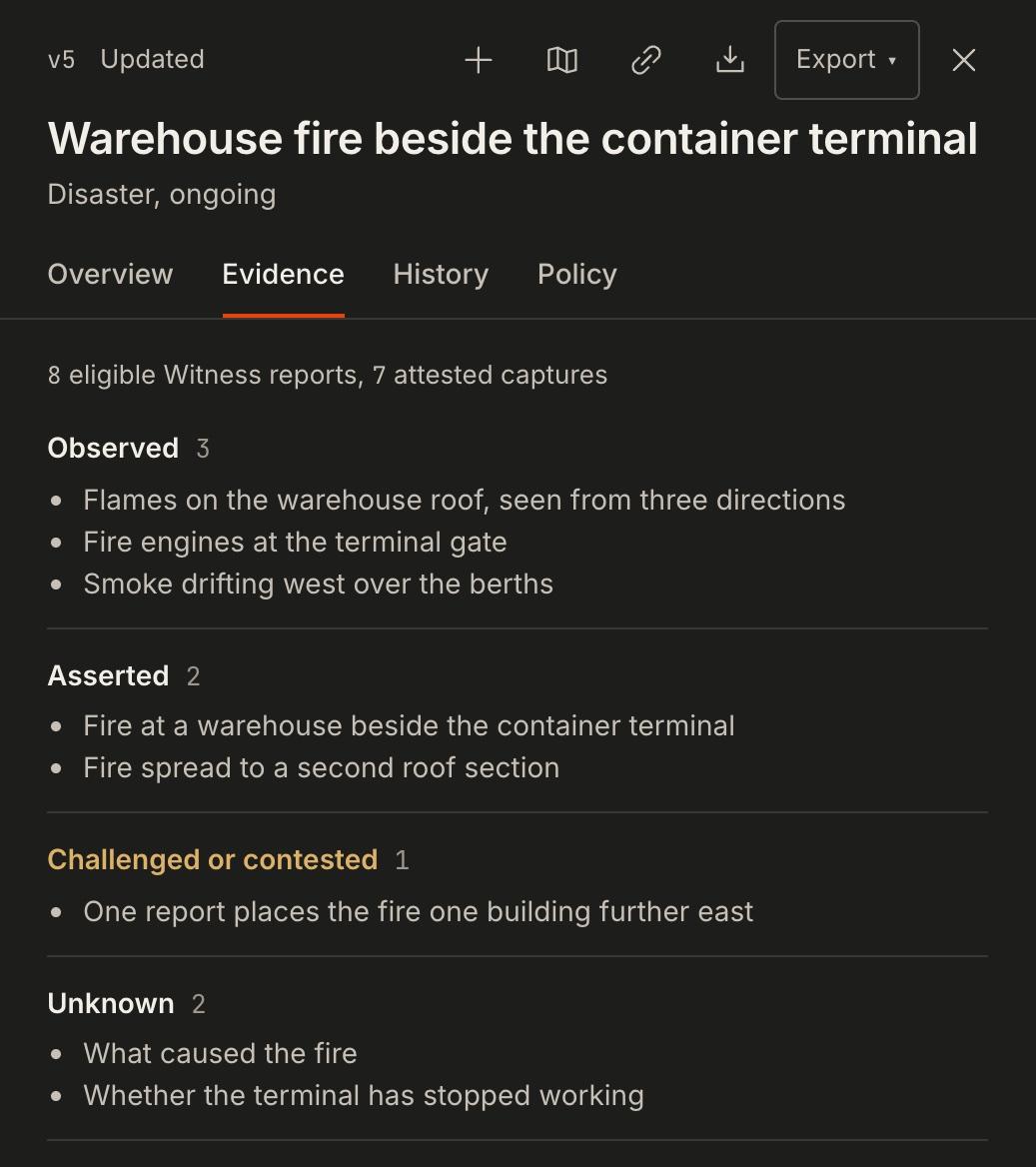
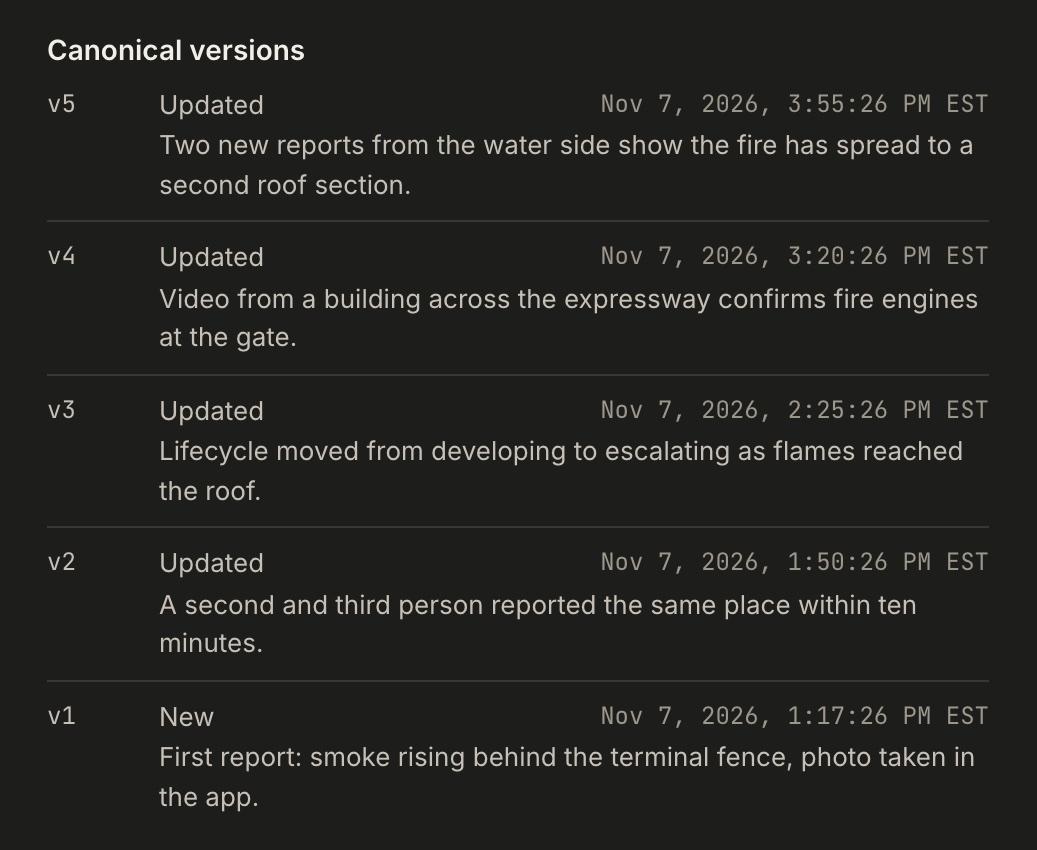
When several people report the same place and time, Witness builds one event and keeps every report attached: what was seen, what is claimed, what is disputed, what nobody knows yet, and how the record changed with each new report.
- reports
- 8
- people
- 6
- captured in the app
- 7
- versions
- 5
Bigger events stay together.
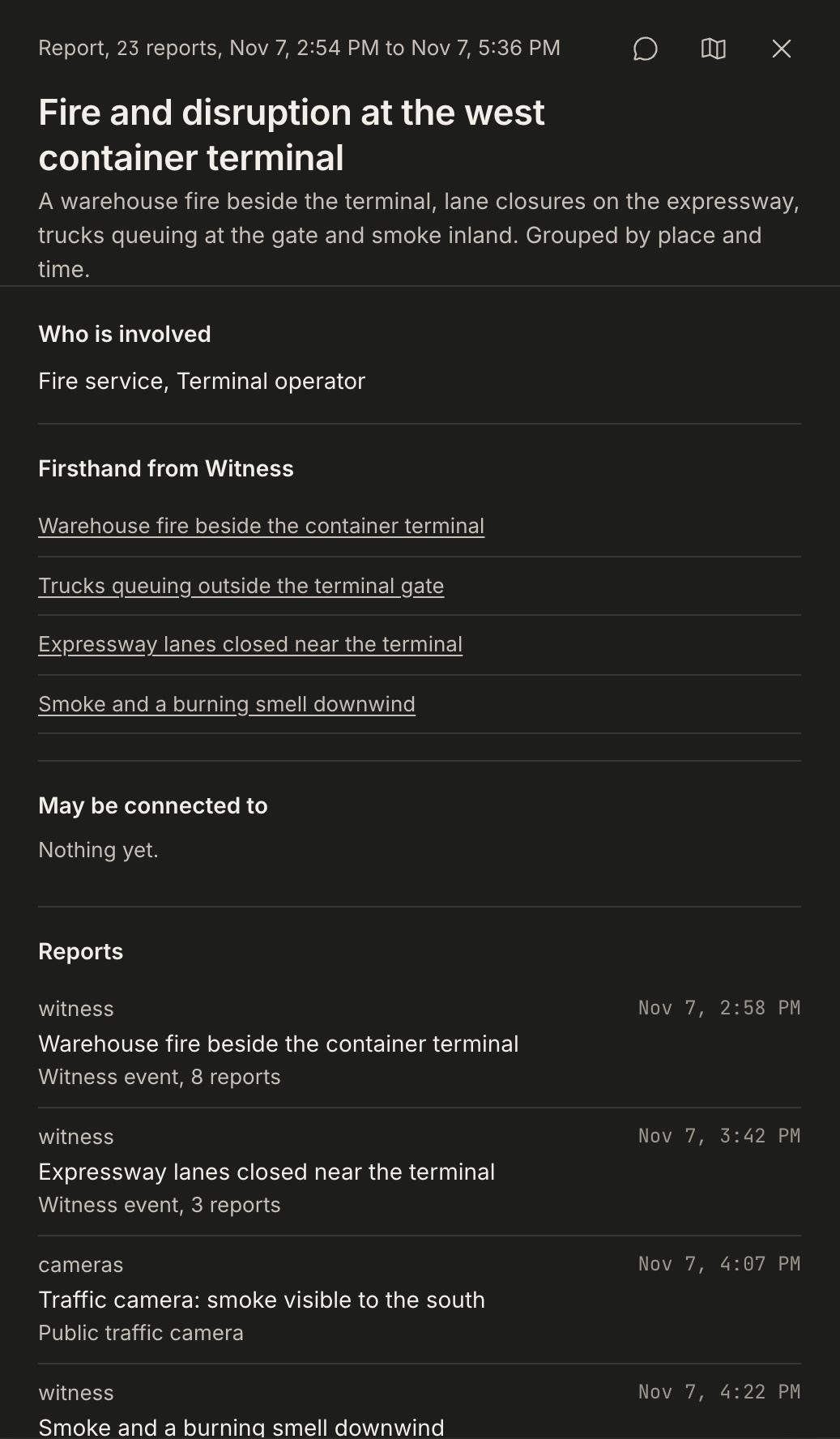
Related events nearby are grouped by place and time into one situation, so a team sees the whole thing instead of four separate alerts.
- 14:54Warehouse fire beside the container terminal
- 15:42Expressway lanes closed near the terminal
- 16:22Smoke and a burning smell downwind
- 16:46Trucks queuing outside the terminal gate
Then line it up with everything else.
Open any event and look around it: everything recorded at that place and time, within the distance you choose. Your own data sits on the same map.
- Witness reportsFirsthand, from the people who are there
- Ships and aircraftWho is waiting outside the berths, what is overhead
- CamerasPublic cameras that can see the area
- Weather and hazardsWarnings, storms, quakes, fires
- Power and internet outagesWhere the lights or the network went down
- NewsPlaced where the story happens
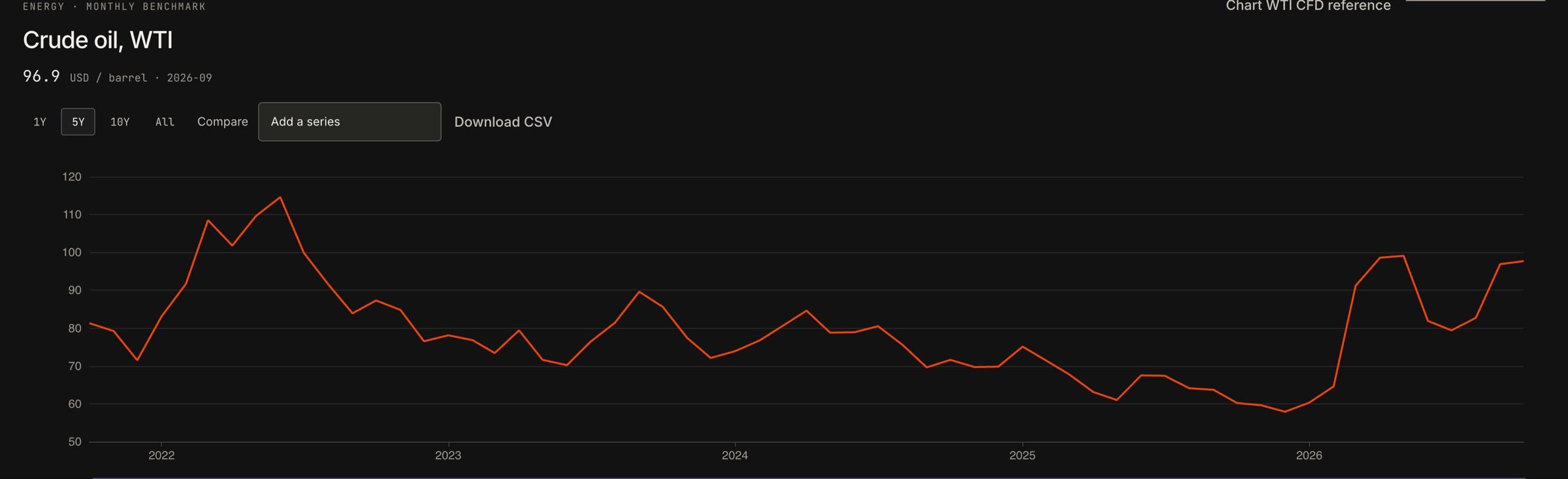
- Markets and commoditiesThe prices that move with it
- Your own dataFiles, feeds and the systems you already run
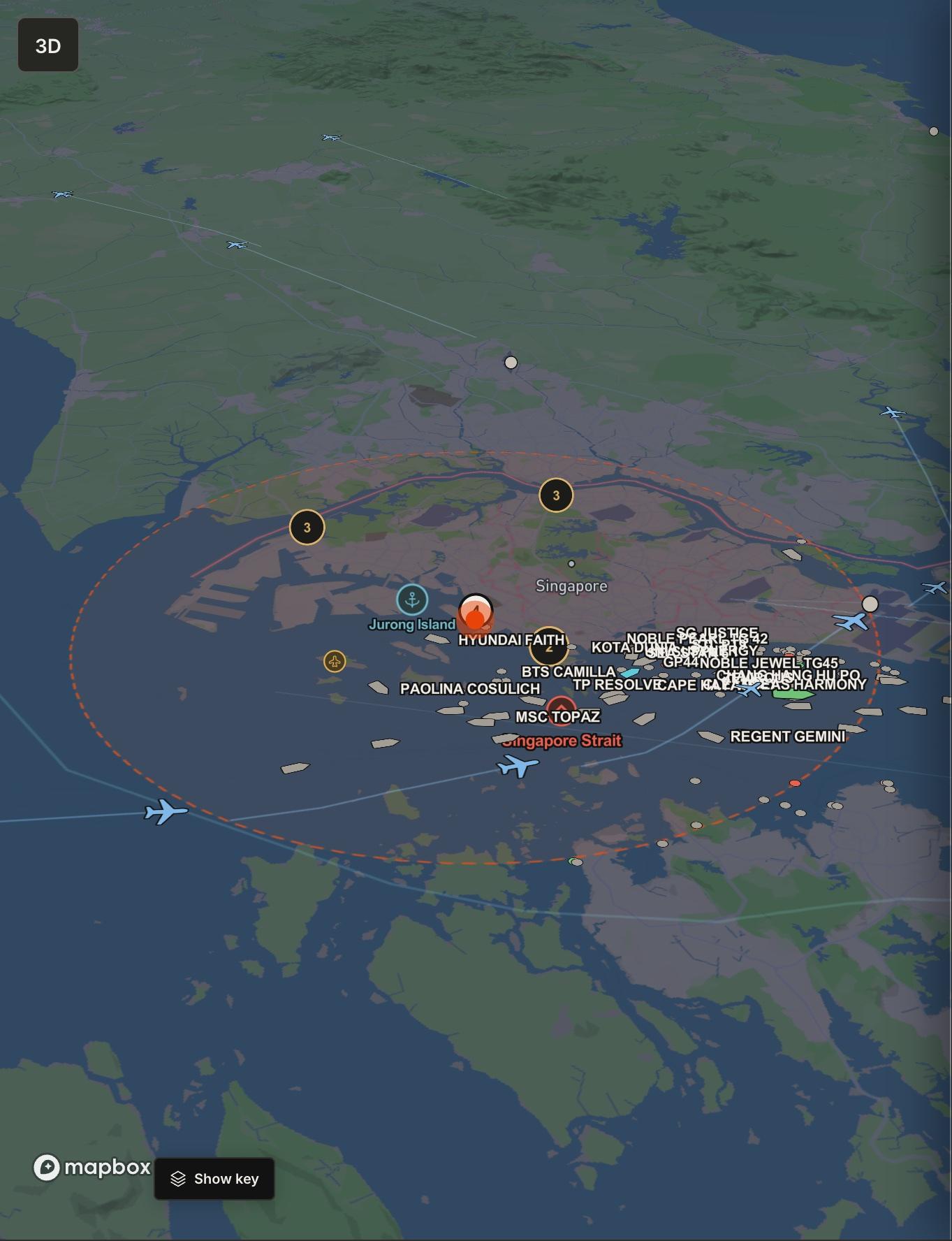
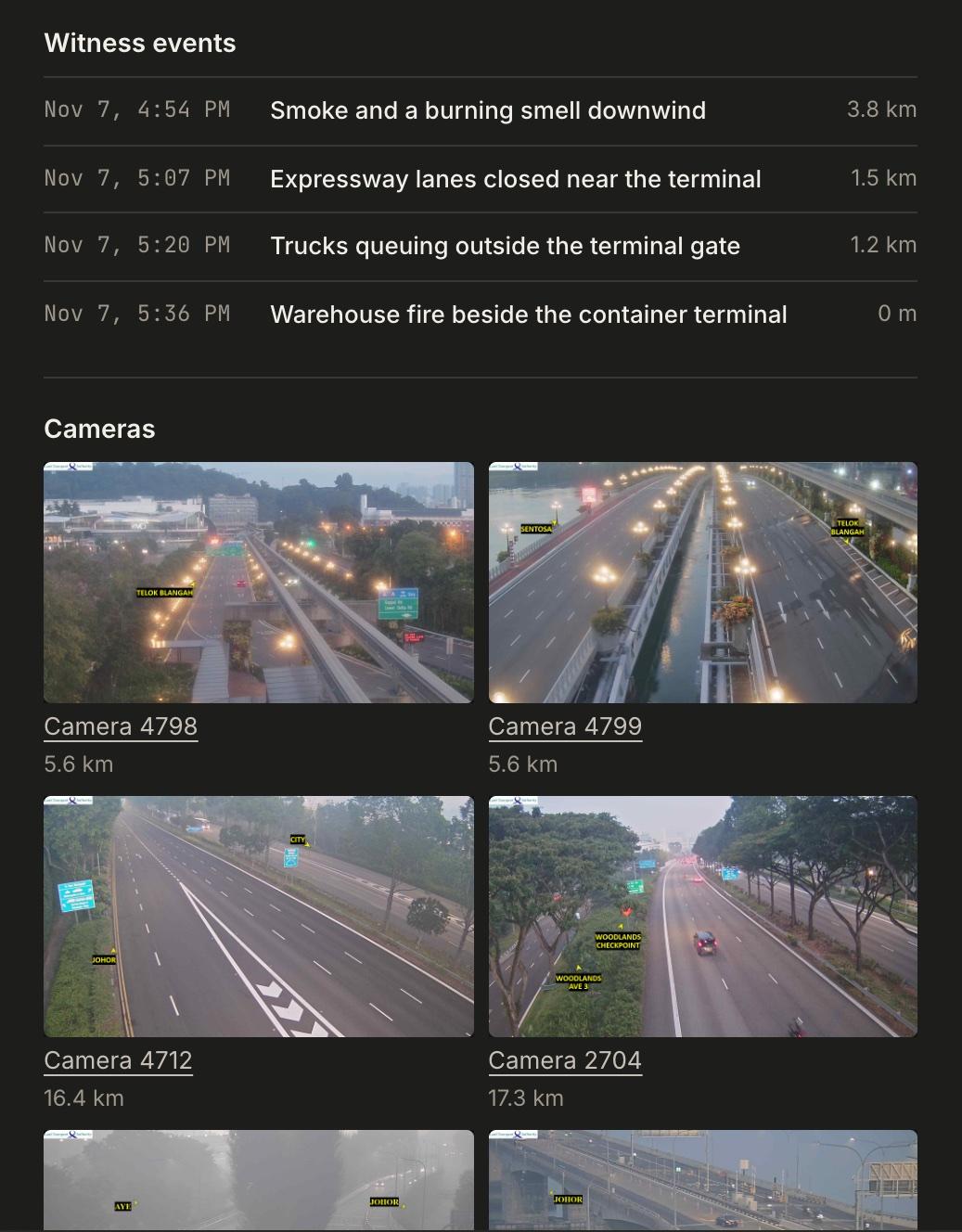
Example event. Ships, flights and camera images are live.
Witness reports come from people who are there. Everything else on the map shows what they touch.
Put the event next to the price.
Watch a price for a move and see what is happening at the places behind it. Compare commodity history, and keep the event and the move on one screen when you explain the call.
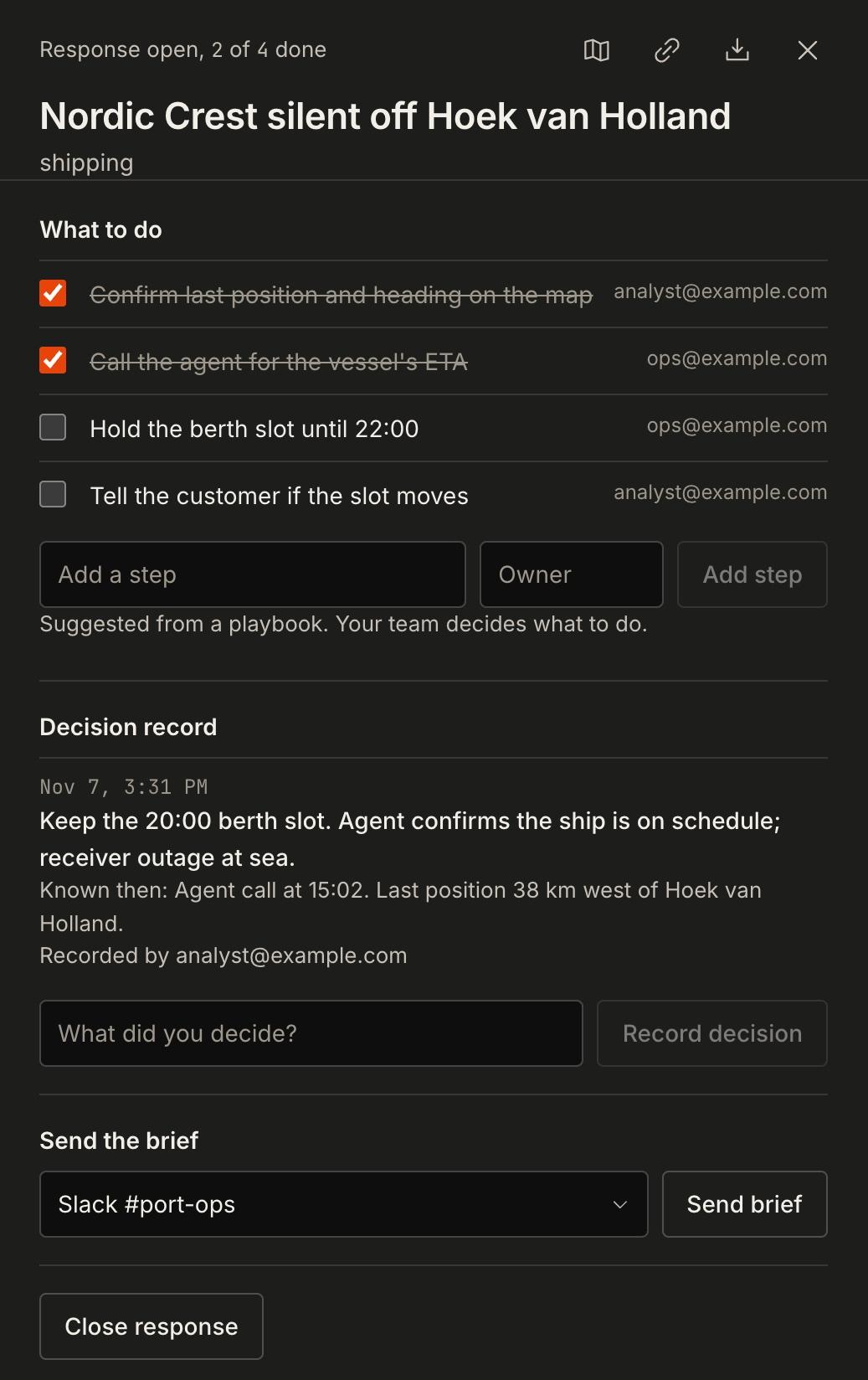
Decide, and keep the record.
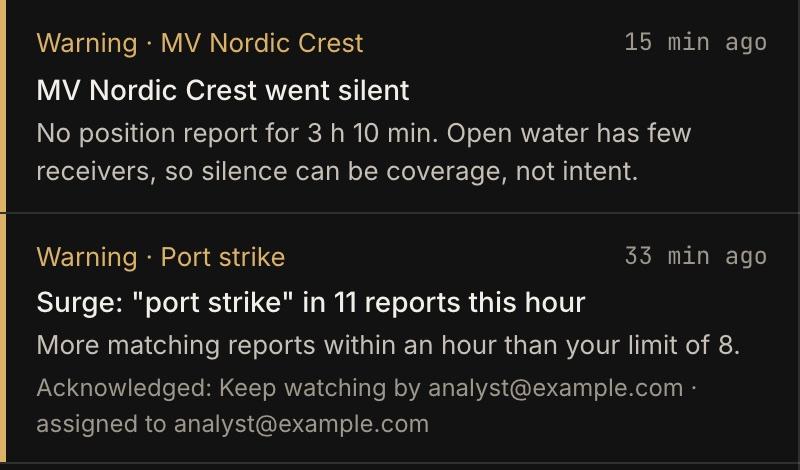
Alerts reach the right people in Slack, Teams or email. Each one ends in a decision with an owner. Responses keep the steps and what was known when you decided, and if a report behind a decision changes later, the decision is flagged.
Monitor sites, routes, and the events that affect them.
Set up for your team.
Each account is set up with the team that uses it. Witness does the setup with you.
- Your places and assetsPorts, sites, routes, ships, flights
- Your sourcesTurn any in or out
- Your systemsConnected and kept to your organization
- Your alertsAnd who receives each one
- Your teamAdmin, analyst, view only
- Your layoutPanels where you want them
See it on your own places.
Access is granted per organization. Tell us the places, routes and markets you watch, and the setup starts from those.
Learn how to set up your workspace, create a watch and respond to an alert. Read the Terminal docs