Documentation navigation
Witness Terminal documentation
From the first report
to the decision.
Witness Terminal puts firsthand reports and their evidence on a map alongside outside context. Use this handbook to set up a workspace and follow an event from the first signal to a decision your team can revisit.
Build your first watchSet up an area watch in Witness Terminal, confirm that it covers the place you care about, and test where alerts are sent.Investigate an eventOpen a Witness event, compare firsthand evidence with surrounding context, and see how the record changed over time.Respond to an alertUse the Watch inbox to assess an alert, assign an owner, and keep a record of the response and the evidence behind it.
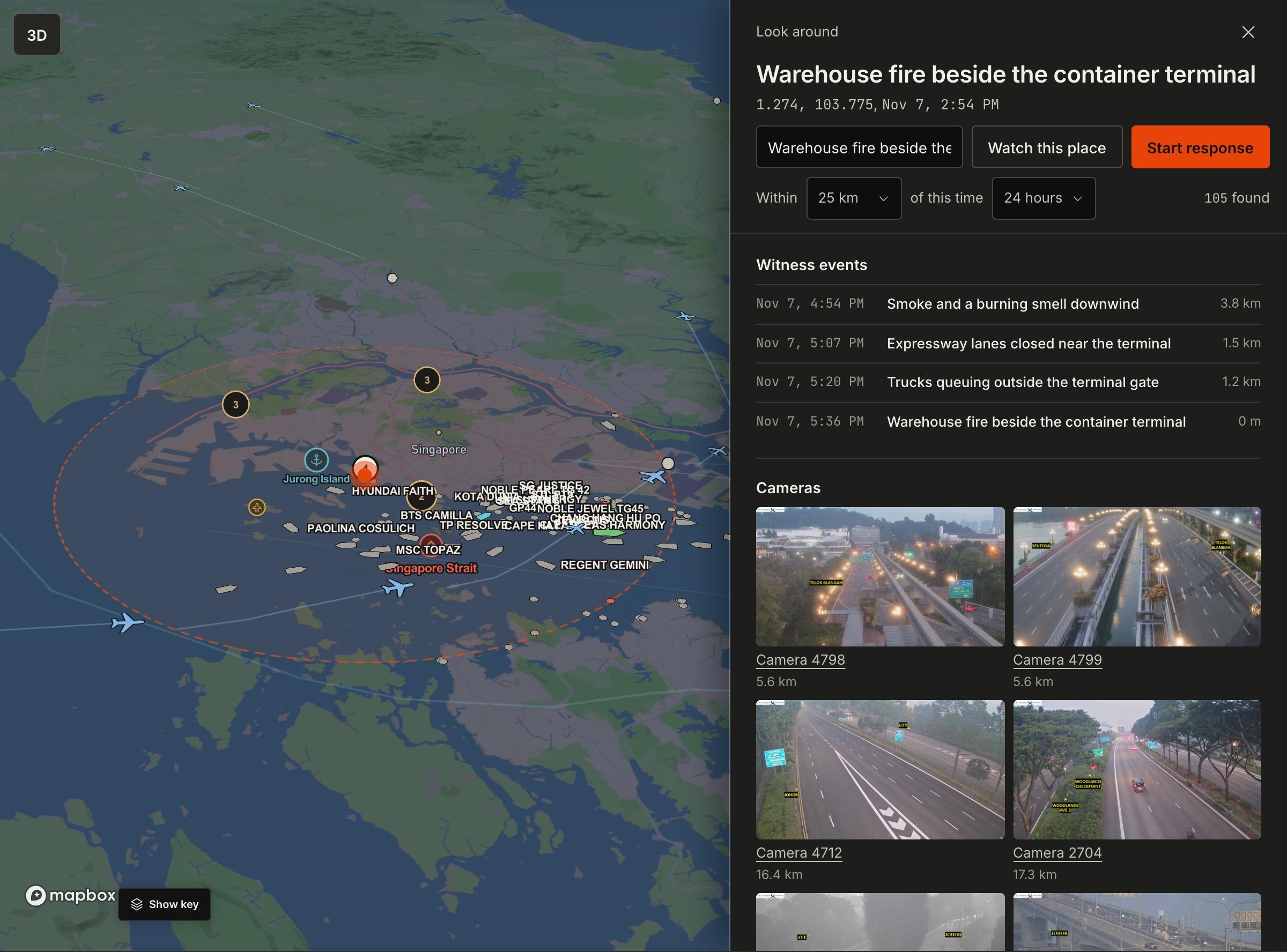
Example event
A warehouse fire near a port
A firsthand report starts the record. As more evidence arrives, the team can review the event, check nearby activity, and decide whether to change a delivery.
Browse the handbook
Get started
Workflows
- Build your first watchSet up an area watch in Witness Terminal, confirm that it covers the place you care about, and test where alerts are sent.
- Investigate an eventOpen a Witness event, compare firsthand evidence with surrounding context, and see how the record changed over time.
- Respond to an alertUse the Watch inbox to assess an alert, assign an owner, and keep a record of the response and the evidence behind it.
- Export and hand off a recordChoose a format for a permitted Terminal record and share a handoff with its time, location precision, evidence and use restrictions.